> ## Documentation Index
> Fetch the complete documentation index at: https://dripart-willie-des-1087-router-migration-block.mintlify.site/llms.txt
> Use this file to discover all available pages before exploring further.

# FLUX.2 Klein ComfyUIチュートリアル | テキスト画像生成・画像編集ガイド

> FLUX.2 Kleinは、ComfyUIでテキストからの画像生成と画像編集を統合した高速モデルです。4B・9Bワークフロー、モデル設定、編集機能を紹介します。

<iframe width="560" height="315" src="https://www.youtube.com/embed/Y9foxm9OYEU?si=FeueXTTBoIkydjk7" title="YouTube video player" frameborder="0" allow="accelerometer; autoplay; clipboard-write; encrypted-media; gyroscope; picture-in-picture; web-share" referrerpolicy="strict-origin-when-cross-origin" allowfullscreen />

## FLUX.2 \[Klein] について

FLUX.2 \[Klein] は、Flux ファミリーの中で現時点で（2026年1月15日現在）最も高速なモデルであり、テキストから画像への生成と画像編集を、1つのコンパクトなアーキテクチャに統合しています。インタラクティブなワークフロー、即時プレビュー、および低遅延が求められるアプリケーション向けに設計されており、蒸留版モデルでは約1秒でエンドツーエンドの推論が可能でありながら、単一参照および複数参照による画像編集においても高品質な結果を維持します。

**モデルの主な特長：**

* 2種類の4Bモデル：最大限の柔軟性とファインチューニングに対応する「Base（非蒸留）」と、速度重視の展開に適した「Distilled（4ステップ）」
* パフォーマンス：蒸留版は約1.2秒（RTX 5090）・VRAM 8.4GB、Base版は約17秒（RTX 5090）・VRAM 9.2GB
* 編集機能：スタイル変換、セマンティック編集、オブジェクトの置換／削除、複数参照による合成、反復的な編集

<Tip>
  <Tabs>
    <Tab title="ローカルユーザー">
      ComfyUI が最新版に更新されていることを確認してください。

      * [ComfyUI のダウンロード](https://www.comfy.org/download)
      * [更新手順](/ja/installation/update_comfyui)

      このガイドで紹介するワークフローは、[ワークフローテンプレート](/ja/interface/features/template)から入手できます。
      テンプレート内に該当のワークフローが見つからない場合、ComfyUI のバージョンが古くなっている可能性があります。

      ワークフローを読み込んだ際にノードが欠落している場合の考えられる原因：

      1. 最新の ComfyUI（Nightly 版）を使用していない
      2. 起動時に一部のノードのインポートに失敗している
    </Tab>

    <Tab title="クラウドユーザー">
      * [Cloud](https://cloud.comfy.org) は、ComfyUI の安定版リリース後に更新されます。

      したがって、このドキュメントでコアノードが見つからない場合、それは新しいコアノードがまだ最新の安定版にリリースされていない可能性があります。次回の安定版リリースをお待ちください。
    </Tab>
  </Tabs>
</Tip>

## Flux.2 Klein 4B のワークフロー

<h3 id="image_flux2_klein_text_to_image">
  Flux.2 \[Klein] 4B: テキストから画像へ
</h3>

<img src="https://raw.githubusercontent.com/Comfy-Org/workflow_templates/main/templates/image_flux2_klein_text_to_image-1.webp" alt="Flux.2 Klein 4B のテキストから画像への生成ワークフローのプレビュー" />

<CardGroup cols={2}>
  <Card title="Comfy Cloud で実行" icon="cloud" href="https://cloud.comfy.org/?template=image_flux2_klein_text_to_image&utm_source=docs&utm_medium=referral&utm_campaign=flux-2-klein">
    このワークフローを Comfy Cloud で直接開きます
  </Card>

  <Card title="ワークフローをダウンロード" icon="download" href="https://github.com/Comfy-Org/workflow_templates/blob/main/templates/image_flux2_klein_text_to_image.json">
    Flux.2 Klein 4B 用のテキストから画像への生成ワークフローの JSON をダウンロードします。
  </Card>
</CardGroup>

**出力例**

![Flux.2 Klein 4B のテキストから画像への生成の出力例](https://raw.githubusercontent.com/Comfy-Org/workflow_templates/main/output/image_flux2_klein_text_to_image.png)

<h3 id="image_flux2_klein_image_edit_4b_base">
  Flux.2 \[Klein] 4B: 画像編集
</h3>

<img src="https://raw.githubusercontent.com/Comfy-Org/workflow_templates/main/templates/image_flux2_klein_image_edit_4b_base-1.webp" alt="Flux.2 Klein 4B の画像編集 Base ワークフローのプレビュー" />

<CardGroup cols={2}>
  <Card title="Comfy Cloud で実行" icon="cloud" href="https://cloud.comfy.org/?template=image_flux2_klein_image_edit_4b_base&utm_source=docs&utm_medium=referral&utm_campaign=flux-2-klein">
    このワークフローを Comfy Cloud で直接開きます
  </Card>

  <Card title="ワークフローをダウンロード" icon="download" href="https://github.com/Comfy-Org/workflow_templates/blob/main/templates/image_flux2_klein_image_edit_4b_base.json">
    4B Base モデルを使用した画像編集ワークフローの JSON をダウンロードします。
  </Card>
</CardGroup>

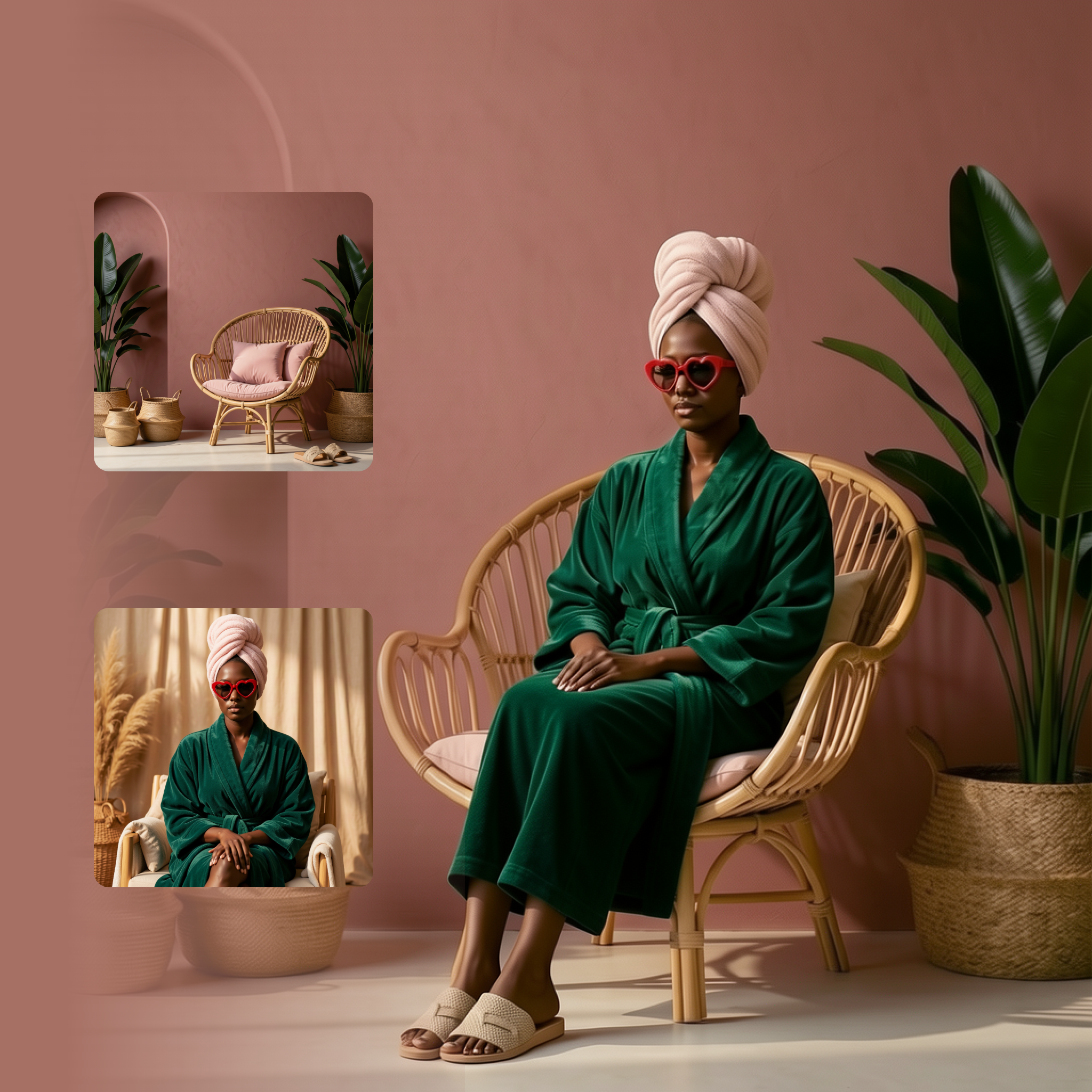
**入力素材**

これらのファイルを対応する `LoadImage` ノードにアップロードします:

<CardGroup cols={2}>
  <Card title="robed_women.png" icon="image" href="https://raw.githubusercontent.com/Comfy-Org/workflow_templates/main/input/robed_women.png">
    `LoadImage` ノード 76 · `robed_women.png`
  </Card>

  <Card title="pink_tone_chair.png" icon="image" href="https://raw.githubusercontent.com/Comfy-Org/workflow_templates/main/input/pink_tone_chair.png">
    `LoadImage` ノード 81 · `pink_tone_chair.png`
  </Card>
</CardGroup>

<div style={{display: 'grid', gridTemplateColumns: 'repeat(2, minmax(0, 1fr))', gap: '1rem', alignItems: 'start'}}>
  <img src="https://raw.githubusercontent.com/Comfy-Org/workflow_templates/main/input/robed_women.png" alt="robed_women.png" style={{width: '100%', height: 'auto', objectFit: 'contain'}} />

  <img src="https://raw.githubusercontent.com/Comfy-Org/workflow_templates/main/input/pink_tone_chair.png" alt="pink_tone_chair.png" style={{width: '100%', height: 'auto', objectFit: 'contain'}} />
</div>

**出力例**

![Flux.2 Klein 4B の画像編集 Base の出力例](https://raw.githubusercontent.com/Comfy-Org/workflow_templates/main/thumbnail/image_flux2_klein_image_edit_4b_base.png)

<h3 id="image_flux2_klein_image_edit_4b_distilled">
  Flux.2 \[Klein] 4B: 画像編集 Distilled
</h3>

<img src="https://raw.githubusercontent.com/Comfy-Org/workflow_templates/main/templates/image_flux2_klein_image_edit_4b_distilled-1.webp" alt="Flux.2 Klein 4B の画像編集 Distilled ワークフローのプレビュー" />

<CardGroup cols={2}>
  <Card title="Comfy Cloud で実行" icon="cloud" href="https://cloud.comfy.org/?template=image_flux2_klein_image_edit_4b_distilled&utm_source=docs&utm_medium=referral&utm_campaign=flux-2-klein">
    このワークフローを Comfy Cloud で直接開きます
  </Card>

  <Card title="ワークフローをダウンロード" icon="download" href="https://github.com/Comfy-Org/workflow_templates/blob/main/templates/image_flux2_klein_image_edit_4b_distilled.json">
    4B 蒸留版による高速な画像編集ワークフローの JSON をダウンロードします。
  </Card>
</CardGroup>

**入力素材**

これらのファイルを対応する `LoadImage` ノードにアップロードします:

<CardGroup cols={2}>
  <Card title="handbag_white.png" icon="image" href="https://raw.githubusercontent.com/Comfy-Org/workflow_templates/main/input/handbag_white.png">
    `LoadImage` ノード 76 · `handbag_white.png`
  </Card>

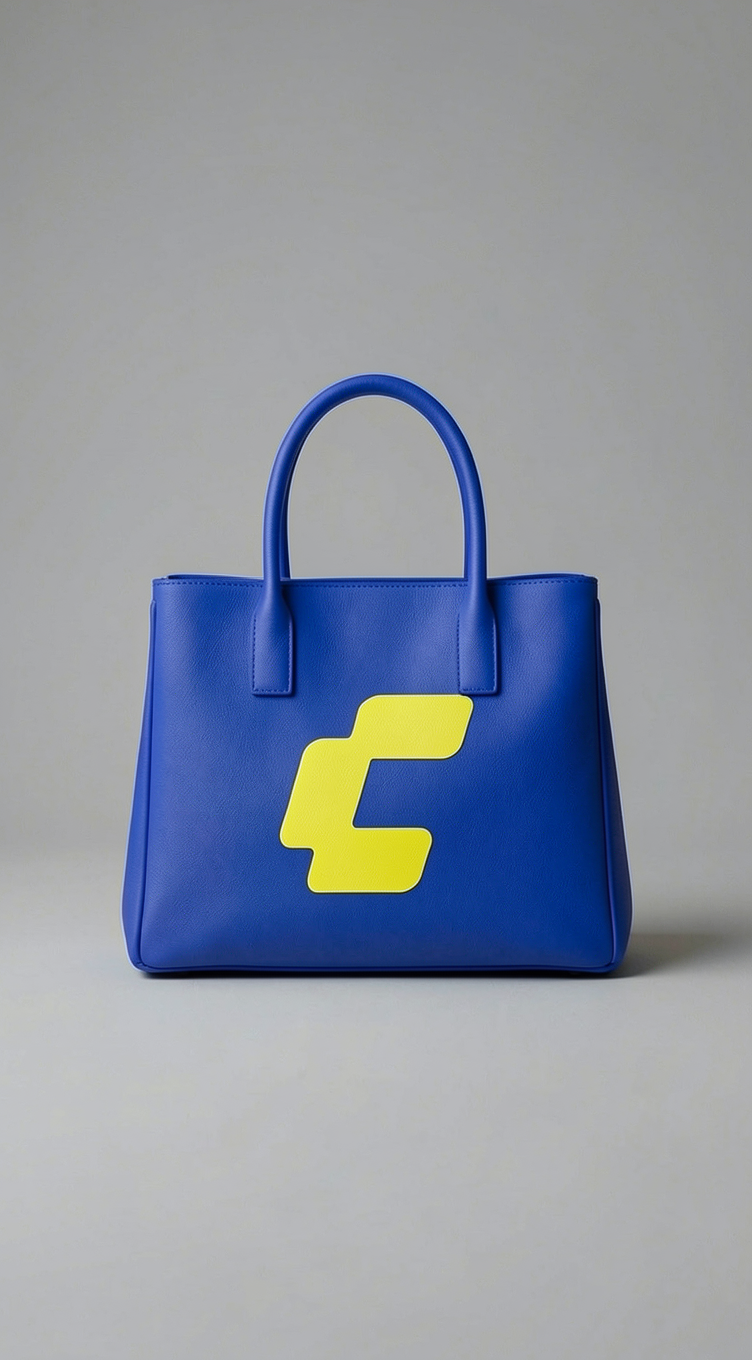
  <Card title="comfy_logo_blue.png" icon="image" href="https://raw.githubusercontent.com/Comfy-Org/workflow_templates/main/input/comfy_logo_blue.png">
    `LoadImage` ノード 81 · `comfy_logo_blue.png`
  </Card>
</CardGroup>

<div style={{display: 'grid', gridTemplateColumns: 'repeat(2, minmax(0, 1fr))', gap: '1rem', alignItems: 'start'}}>
  <img src="https://raw.githubusercontent.com/Comfy-Org/workflow_templates/main/input/handbag_white.png" alt="handbag_white.png" style={{width: '100%', height: 'auto', objectFit: 'contain'}} />

  <img src="https://raw.githubusercontent.com/Comfy-Org/workflow_templates/main/input/comfy_logo_blue.png" alt="comfy_logo_blue.png" style={{width: '100%', height: 'auto', objectFit: 'contain'}} />
</div>

**出力例**

![Flux.2 Klein 4B の画像編集 Distilled の出力例](https://raw.githubusercontent.com/Comfy-Org/workflow_templates/main/output/image_flux2_klein_image_edit_4b_distilled.png)

## Flux.2 Klein 4B モデルのダウンロード

<CardGroup cols={2}>
  <Card title="qwen_3_4b.safetensors" icon="download" href="https://huggingface.co/Comfy-Org/flux2-klein-4B/resolve/main/split_files/text_encoders/qwen_3_4b.safetensors">
    4B モデル用のテキストエンコーダーです。
  </Card>

  <Card title="flux-2-klein-base-4b-fp8.safetensors" icon="download" href="https://huggingface.co/black-forest-labs/FLUX.2-klein-base-4b-fp8/resolve/main/flux-2-klein-base-4b-fp8.safetensors">
    拡散モデル（4B Base 版）。
  </Card>

  <Card title="flux-2-klein-4b-fp8.safetensors" icon="download" href="https://huggingface.co/black-forest-labs/FLUX.2-klein-4b-fp8/resolve/main/flux-2-klein-4b-fp8.safetensors">
    拡散モデル（4B 蒸留版）。
  </Card>

  <Card title="flux2-vae.safetensors" icon="download" href="https://huggingface.co/Comfy-Org/flux2-dev/resolve/main/split_files/vae/flux2-vae.safetensors">
    4B モデル用のVAEです。
  </Card>
</CardGroup>

**4B モデルの保存場所**

```
📂 ComfyUI/
├── 📂 models/
│   ├── 📂 text_encoders/
│   │      └── qwen_3_4b.safetensors
│   ├── 📂 diffusion_models/
│   │      ├── flux-2-klein-base-4b-fp8.safetensors
│   │      └── flux-2-klein-4b-fp8.safetensors
│   └── 📂 vae/
│          └── flux2-vae.safetensors
```

## Flux.2 Klein 9B のワークフロー

<h3 id="image_flux2_text_to_image_9b">
  Flux.2 \[Klein] 9B: テキストから画像へ
</h3>

<img src="https://raw.githubusercontent.com/Comfy-Org/workflow_templates/main/templates/image_flux2_text_to_image_9b-1.webp" alt="Flux.2 Klein 9B のテキストから画像への生成ワークフローのプレビュー" />

<CardGroup cols={2}>
  <Card title="Comfy Cloud で実行" icon="cloud" href="https://cloud.comfy.org/?template=image_flux2_text_to_image_9b&utm_source=docs&utm_medium=referral&utm_campaign=flux-2-klein">
    このワークフローを Comfy Cloud で直接開きます
  </Card>

  <Card title="ワークフローをダウンロード" icon="download" href="https://github.com/Comfy-Org/workflow_templates/blob/main/templates/image_flux2_text_to_image_9b.json">
    Flux.2 Klein 9B 用のテキストから画像への生成ワークフローの JSON をダウンロードします。
  </Card>
</CardGroup>

**出力例**

![Flux.2 Klein 9B のテキストから画像への生成の出力例](https://raw.githubusercontent.com/Comfy-Org/workflow_templates/main/output/image_flux2_text_to_image_9b.png)

<h3 id="image_flux2_klein_image_edit_9b_base">
  Flux.2 \[Klein] 9B: 画像編集
</h3>

<img src="https://raw.githubusercontent.com/Comfy-Org/workflow_templates/main/templates/image_flux2_klein_image_edit_9b_base-1.webp" alt="Flux.2 Klein 9B の画像編集 Base ワークフローのプレビュー" />

<CardGroup cols={2}>
  <Card title="Comfy Cloud で実行" icon="cloud" href="https://cloud.comfy.org/?template=image_flux2_klein_image_edit_9b_base&utm_source=docs&utm_medium=referral&utm_campaign=flux-2-klein">
    このワークフローを Comfy Cloud で直接開きます
  </Card>

  <Card title="ワークフローをダウンロード" icon="download" href="https://github.com/Comfy-Org/workflow_templates/blob/main/templates/image_flux2_klein_image_edit_9b_base.json">
    9B Base モデルを使用した画像編集ワークフローの JSON をダウンロードします。
  </Card>
</CardGroup>

**入力素材**

これらのファイルを対応する `LoadImage` ノードにアップロードします:

<CardGroup cols={2}>
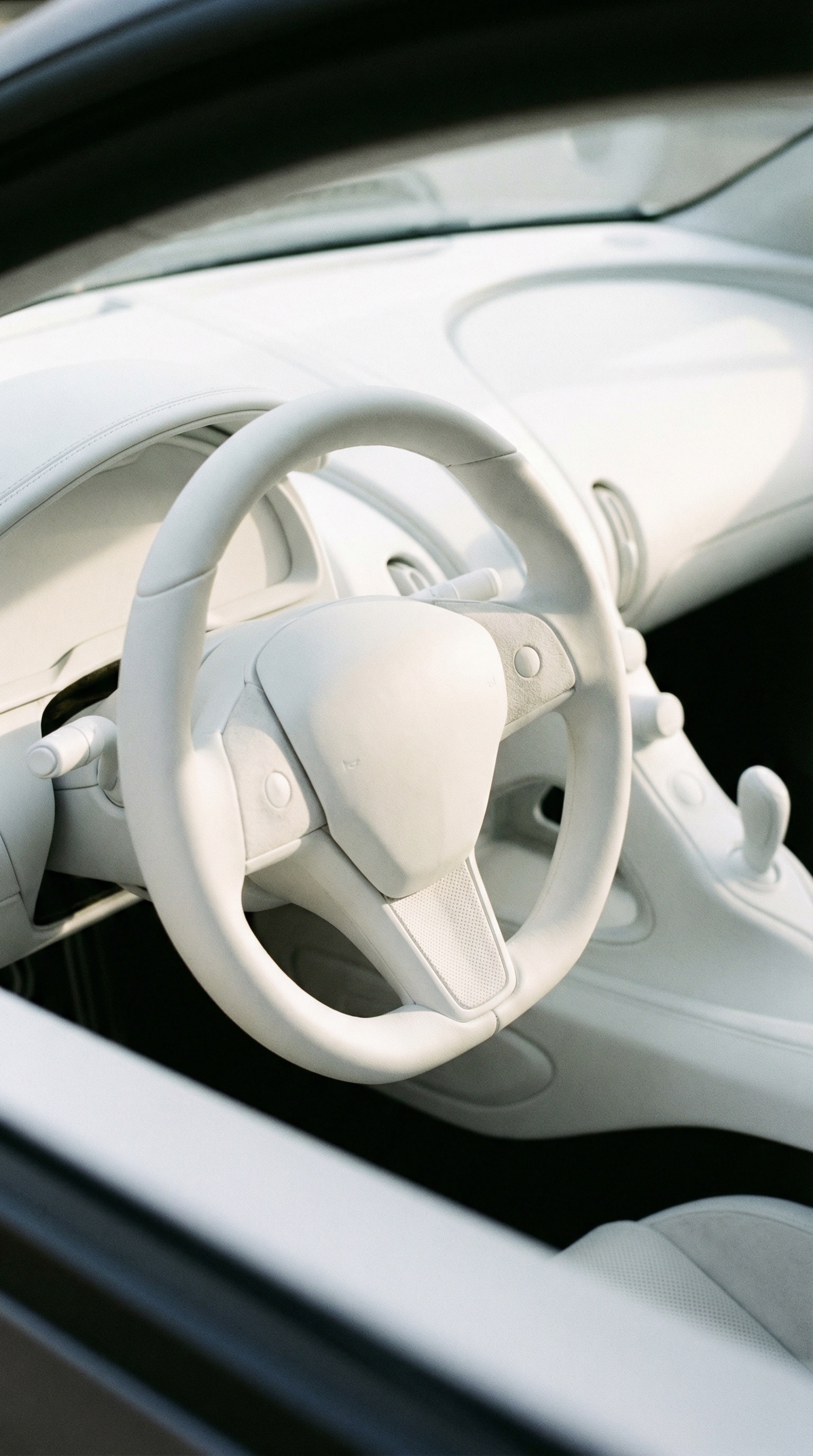
  <Card title="car_interior_white.jpeg" icon="image" href="https://raw.githubusercontent.com/Comfy-Org/workflow_templates/main/input/car_interior_white.jpeg">
    `LoadImage` ノード 76 · `car_interior_white.jpeg`
  </Card>

  <Card title="comfy_logo_blue.png" icon="image" href="https://raw.githubusercontent.com/Comfy-Org/workflow_templates/main/input/comfy_logo_blue.png">
    `LoadImage` ノード 81 · `comfy_logo_blue.png`
  </Card>
</CardGroup>

<div style={{display: 'grid', gridTemplateColumns: 'repeat(2, minmax(0, 1fr))', gap: '1rem', alignItems: 'start'}}>
  <img src="https://raw.githubusercontent.com/Comfy-Org/workflow_templates/main/input/car_interior_white.jpeg" alt="car_interior_white.jpeg" style={{width: '100%', height: 'auto', objectFit: 'contain'}} />

  <img src="https://raw.githubusercontent.com/Comfy-Org/workflow_templates/main/input/comfy_logo_blue.png" alt="comfy_logo_blue.png" style={{width: '100%', height: 'auto', objectFit: 'contain'}} />
</div>

**出力例**

![Flux.2 Klein 9B の画像編集 Base の出力例](https://raw.githubusercontent.com/Comfy-Org/workflow_templates/main/thumbnail/image_flux2_klein_image_edit_9b_base.png)

<h3 id="image_flux2_klein_image_edit_9b_distilled">
  Flux.2 \[Klein] 9B: 画像編集 Distilled
</h3>

<img src="https://raw.githubusercontent.com/Comfy-Org/workflow_templates/main/templates/image_flux2_klein_image_edit_9b_distilled-1.webp" alt="Flux.2 Klein 9B の画像編集 Distilled ワークフローのプレビュー" />

<CardGroup cols={2}>
  <Card title="Comfy Cloud で実行" icon="cloud" href="https://cloud.comfy.org/?template=image_flux2_klein_image_edit_9b_distilled&utm_source=docs&utm_medium=referral&utm_campaign=flux-2-klein">
    このワークフローを Comfy Cloud で直接開きます
  </Card>

  <Card title="ワークフローをダウンロード" icon="download" href="https://github.com/Comfy-Org/workflow_templates/blob/main/templates/image_flux2_klein_image_edit_9b_distilled.json">
    9B 蒸留版による高速な画像編集ワークフローの JSON をダウンロードします。
  </Card>
</CardGroup>

**入力素材**

これらのファイルを対応する `LoadImage` ノードにアップロードします:

<CardGroup cols={2}>
  <Card title="bold_outfit_woman.jpeg" icon="image" href="https://raw.githubusercontent.com/Comfy-Org/workflow_templates/main/input/bold_outfit_woman.jpeg">
    `LoadImage` ノード 76 · `bold_outfit_woman.jpeg`
  </Card>

  <Card title="handbag_white.png" icon="image" href="https://raw.githubusercontent.com/Comfy-Org/workflow_templates/main/input/handbag_white.png">
    `LoadImage` ノード 121 · `handbag_white.png`
  </Card>
</CardGroup>

<div style={{display: 'grid', gridTemplateColumns: 'repeat(2, minmax(0, 1fr))', gap: '1rem', alignItems: 'start'}}>
  <img src="https://raw.githubusercontent.com/Comfy-Org/workflow_templates/main/input/bold_outfit_woman.jpeg" alt="bold_outfit_woman.jpeg" style={{width: '100%', height: 'auto', objectFit: 'contain'}} />

  <img src="https://raw.githubusercontent.com/Comfy-Org/workflow_templates/main/input/handbag_white.png" alt="handbag_white.png" style={{width: '100%', height: 'auto', objectFit: 'contain'}} />
</div>

**出力例**

![Flux.2 Klein 9B の画像編集 Distilled の出力例](https://raw.githubusercontent.com/Comfy-Org/workflow_templates/main/output/image_flux2_klein_image_edit_9b_distilled.png)

## Flux.2 Klein 9B モデルのダウンロード

<Note>
  拡散モデルについては、BFL のリポジトリにアクセスし、利用規約に同意したうえでダウンロードしてください。
</Note>

<CardGroup cols={2}>
  <Card title="flux-2-klein-base-9b-fp8.safetensors" icon="download" href="https://huggingface.co/black-forest-labs/FLUX.2-klein-base-9b-fp8">
    拡散モデル（9B Base 版）。
  </Card>

  <Card title="flux-2-klein-9b-fp8.safetensors" icon="download" href="https://huggingface.co/black-forest-labs/FLUX.2-klein-9b-fp8">
    拡散モデル（9B 蒸留版）。
  </Card>

  <Card title="qwen_3_8b_fp8mixed.safetensors" icon="download" href="https://huggingface.co/Comfy-Org/flux2-klein-9B/resolve/main/split_files/text_encoders/qwen_3_8b_fp8mixed.safetensors">
    9B モデル用のテキストエンコーダーです。
  </Card>

  <Card title="flux2-vae.safetensors" icon="download" href="https://huggingface.co/Comfy-Org/flux2-dev/resolve/main/split_files/vae/flux2-vae.safetensors">
    9B モデル用のVAEです。
  </Card>
</CardGroup>

**9B モデルの保存場所**

```
📂 ComfyUI/
├── 📂 models/
│   ├── 📂 diffusion_models/
│   │      ├── flux-2-klein-9b-fp8.safetensors
│   │      └── flux-2-klein-base-9b-fp8.safetensors
│   ├── 📂 text_encoders/
│   │      └── qwen_3_8b_fp8mixed.safetensors
│   └── 📂 vae/
│          └── flux2-vae.safetensors
```